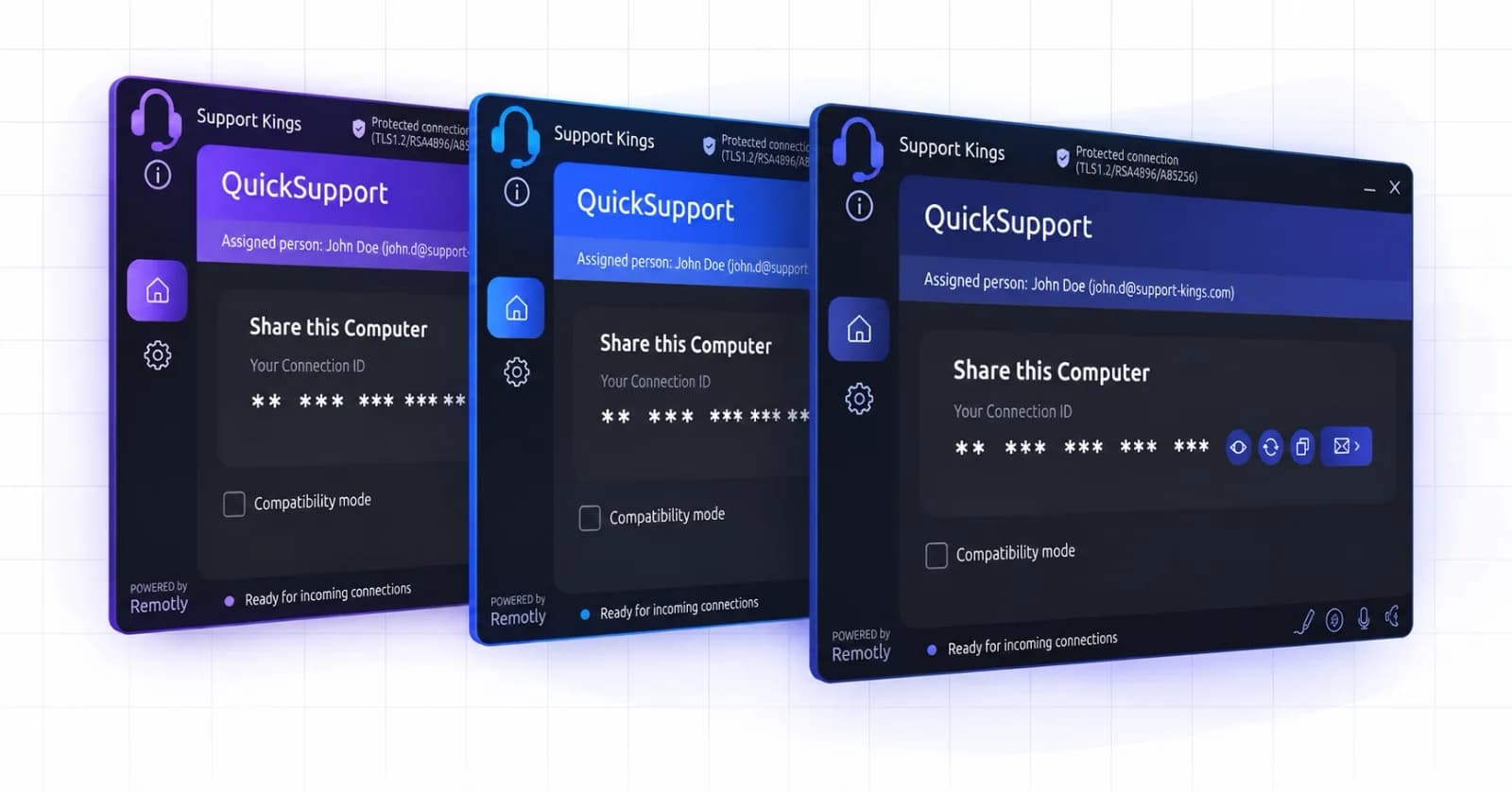
Remotly QuickSupport

Ultra‑secure on‑demand support for your customers

Remotly QuickSupport is a lightweight, no‑install tool engineered for customer support teams and helpdesk specialists. Provide instant, high‑performance remote assistance — always with the user's consent, with absolute transparency and enterprise‑grade cybersecurity — regardless of firewalls or hardware limitations.

Available for
Customer module: Windows
Technicians connect from: Windows · macOS · iOS · Android
Access model
Attended, user‑approved
Setup
No installation
Branding
White-label
Compliance
Recording & history

Solution for

  • Customer Support Teams

    Help customers in minutes — they run one file, you see their screen with their consent.

  • Software Vendors & ISVs

    Embed a branded support module in your own product or download page.

  • Helpdesk Agents

    Annotate the screen, talk over voice chat and transfer files during the same session.

  • Technical Support Specialists

    Diagnose and fix on machines running anything from Windows 7 to Windows 11.

  • Managed Service Providers

    Separate modules per client, joint sessions for escalation and full session history.

  • Public Administration

    Organization‑locked modules, session recording and GDPR‑ready private relays.

What makes Remotly QuickSupport special?

1

End‑User Security

  • Attended Access: Every session requires the user's explicit consent, shows an active‑connection indicator and can be ended by the user at any time.

  • No Installation: The customer simply runs the lightweight module — nothing to install, no account or login required.

  • Organization‑Locked Modules: Connections can be restricted exclusively to users from your organization, blocking any outside third party.

  • View‑Only or Full Control: The customer decides whether to share the screen for viewing only or allow full remote control.

  • Clipboard Control: Clipboard sharing can be blocked for total data privacy.

  • End‑to‑End Encryption: 14-character connection codes with AES-256, TLS 1.2 / 1.3 and RSA-4096, plus device authorization and IP scoring with VPN warnings.

  • Private Relay: Route support sessions through your own relay server for total data sovereignty and GDPR compliance.

2

Support Tools

  • Encrypted File Transfer: Up to 10 MB/s through the Connect Anywhere cloud and limited only by the link over P2P.

  • Voice Chat: Talk with the user during the session with independent microphone and volume control.

  • Screen Annotation: Draw directly on the remote screen to guide users visually.

  • Joint Sessions: Up to 4 technicians can join a single computer, e.g. for escalation or training.

  • Session Recording & History: Record selected sessions on demand; the admin panel keeps the full connection history — who, when, to which device.

  • High‑Quality Stream: Crisp 4:4:4 text and HDR color at low latency, so on‑screen details are always readable.

  • OS Compatibility: Full remote support capabilities, even on machines still running Windows 7.

3

Enterprise Administration & Custom Branding

  • White‑Label Branding: Personalize the module with your company's logo, colors and address details — the administrator downloads a ready installer from the admin panel.

  • Flexible App Distribution: Direct your clients to download the QuickSupport file from your website or embed it natively into your own software.

  • Zero Setup Support: Customers simply run the lightweight app — no registration or login required.

  • Web Admin Panel: Assign licenses, manage technician permissions for users and groups, filter devices and review connection history.

  • Microsoft & Google SSO: Technicians sign in with Microsoft or Google accounts, including Entra ID‑integrated organizations.

Case study

How GIAP streamlined support for over 300 municipalities across Poland

Read Full Case Study
“Switching from TeamViewer and AnyDesk to Remotly brought significant benefits in performance and cybersecurity. We gained a modern design, stable connections, and unique security thanks to dedicated QuickSupport modules generated exclusively for our company.”
— Aleksandra Matysiak, Technical Assistance Team, GIAP
GIAP

Quick Setup Guide

Need step‑by‑step instructions on deploying QuickSupport for your organization?

View Installation & Usage Guide

Frequently asked questions

Do my customers need to install anything or register?

No. The customer simply runs the lightweight QuickSupport module — no installation, registration or login required.

Can the customer stop a session?

Yes. Every session requires explicit consent, shows an active‑connection indicator and can be ended by the customer at any time. They can also limit the session to view‑only.

Can technicians connect from a Mac or a phone?

Yes. The QuickSupport module your customer runs is a Windows application, but technicians can connect from the Remotly client for Windows, the native macOS client or the free iOS and Android apps.

Can we brand the QuickSupport module?

Yes. The admin panel generates a personalized installer with your logo, colors and address details, which you can distribute from your own website or embed in your software.

Can anyone outside our company connect through our module?

No. Connections through your QuickSupport module can be restricted exclusively to users from your organization.

This website uses cookies to improve your experience while you navigate through the website. Out of these, those that are categorized as necessary are stored on your browser and are used to run basic functionalities of the website.

We also use third‑party cookies that help us analyze and understand how you use this website. They will only be stored in your browser with your consent and you have the opportunity to opt out of them. However, opting out may affect your browsing experience.

NecessaryAlways active

Necessary cookies are absolutely necessary for the website to function properly. These cookies ensure basic functionalities and security features of the website on an anonymous basis.

CookieRetention periodDescription
cookie_consent1 yearStores whether or not the user has consented to the use of cookies. It does not store any personal data.
NEXT_LOCALE1 yearStores language setting selected by user.
themeuntil clearedStores the light or dark theme selected by user (browser storage).
hCaptchasessionSet by the hCaptcha service on the contact and order forms to identify bots and protect the website against spam.
device_token6 monthsCookie used for user/device verification.
session_idsession / 1 monthCookie used to keep user session alive.
logged_insession / 1 monthCookie used to keep user session alive.