Remotly Mobile App

Full PC power on your smartphone or tablet

The Remotly Mobile App connects your iOS or Android smartphone or tablet to any Windows PC, anywhere and at any time. Control your computer, edit files or stream heavy software directly to your mobile screen — with zero compromise on speed, responsiveness or enterprise‑grade security.

Available for
Client: iOS · Android 5.0+
Connects to: Windows 7 / 8.1 / 10 / 11 host
Latency
Sub‑frame P2P
Streaming
120 FPS · 4K HDR
Stylus
Pressure · tilt · orientation
Price
100% free

What makes Remotly Mobile App special?

1

Mobile‑to‑PC Control

  • Remote PC Access: Access desktop files, launch programs, check ongoing tasks or troubleshoot PCs directly from your phone or tablet — via code, invitation or your device list.

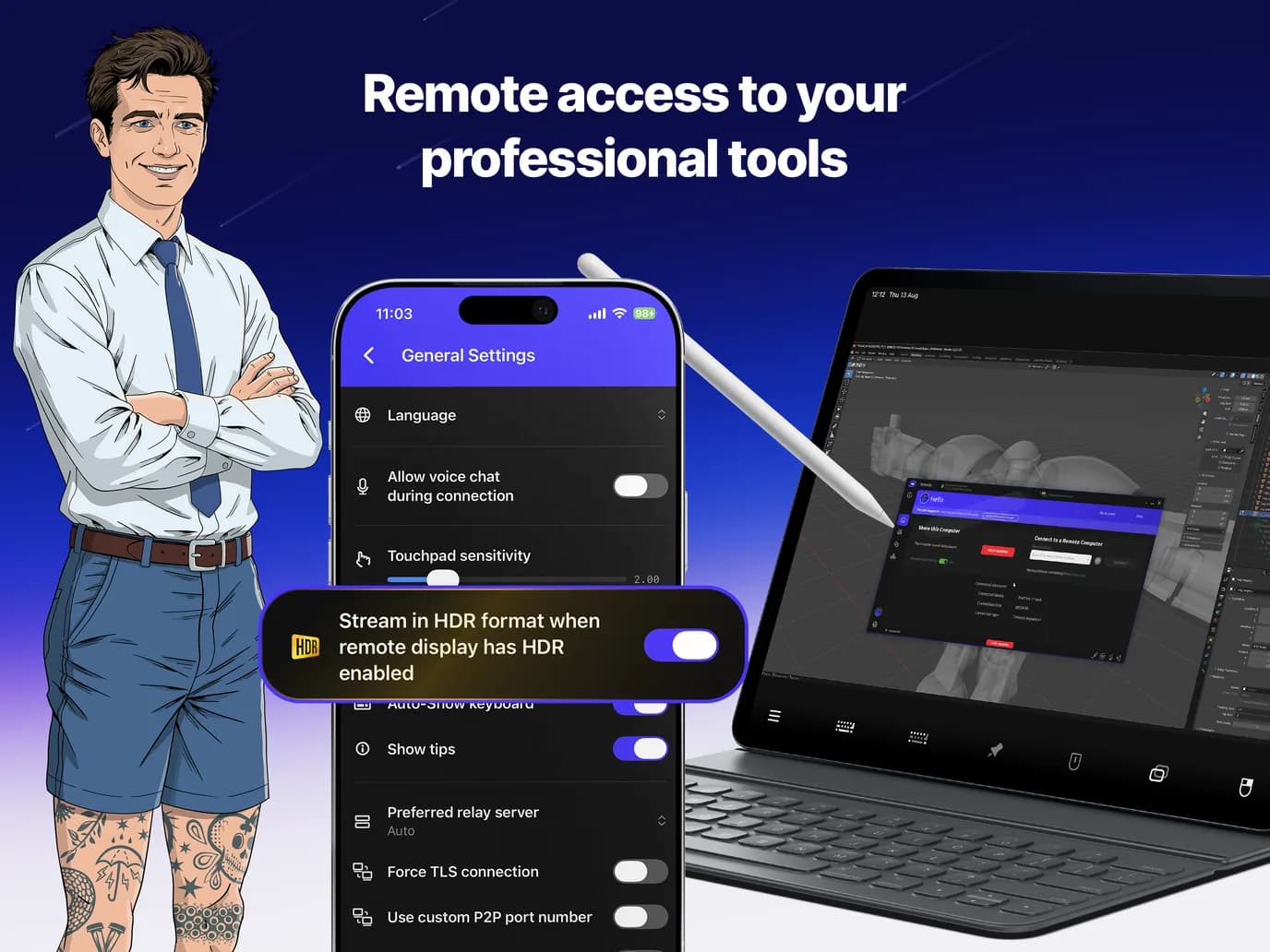
  • Touch Control Modes: Mouse‑move, scroll and zoom modes tailored to touch screens, with adjustable touchpad sensitivity.

  • Multi‑Monitor & Resolution: Switch between up to 3 remote monitors, change the remote computer's resolution and use the full‑screen session menu.

  • Power & Privacy Controls: Blank the remote screen, lock its keyboard and mouse, mute audio, force wake‑up, send Wake‑on‑LAN or turn the computer off during a session.

  • Tablet as Additional Display: Turn your iPad or Android tablet into an external, high‑resolution secondary monitor for your PC.

  • Travel Light: Leave your laptop at home — your entire desktop environment goes everywhere your mobile goes.

2

Pro Creative & Gaming Experience

  • Near‑Zero Latency: Extremely low latency (below a single frame) powered by direct P2P connections at up to 100 Mbps, with cloud fallback.

  • 120 FPS & 4K HDR Streaming: 4K over cloud and P2P, HDR with full 4:4:4 color at up to 120 fps, decoded in hardware (H.264/AVC, HEVC, AV1) for low power and CPU usage.

  • Stylus with Pressure, Tilt & Orientation: A virtual remote pen device passes pressure, orientation and tilt to the PC — draw on your tablet as if it were a graphics tablet plugged into the remote computer.

  • Pro Gaming: Play high‑end PC games powered by your host rig, regardless of your phone's internal specs.

  • Quality Settings & Weak‑Signal Icon: Tune quality for your network and see a clear indicator when link quality drops.

3

Unmatched Security & Efficiency

  • End‑to‑End Encryption: AES-256, TLS 1.2 and RSA-4096 with two‑step authorization on the first connection to each computer.

  • Microsoft & Google Sign‑In: Sign in with your Microsoft or Google account, including organizations integrated with Microsoft Entra ID.

  • Joint Sessions: Up to 4 people can be connected to the same computer at once.

  • Battery Saver Technology: Hardware decoding and optimized stream rendering extend your device's battery life during long sessions.

  • 100% Free to Use: Complete mobile remote desktop access at zero cost.

See Remotly Mobile App in Action

From a tablet with a stylus to a phone in your hands: sculpt and draw on your office PC with pressure and tilt passed straight through, or stream your PC games in 4K wherever you are.

Marcin Janiak, Design Lead, Remotly
Maciej Kowalczyk, Solutions Architect & Apple Tech Lead, Remotly

Frequently asked questions

Is the Remotly Mobile App really free?

Yes. Complete mobile remote desktop access is available at zero cost.

Which devices are supported?

iPhones and iPads running iOS, and Android phones and tablets running Android 5.0 or later, connecting to Windows 7, 8.1, 10 or 11 computers.

Does it support a stylus?

Yes. A virtual remote pen device passes pressure, orientation and tilt to the PC, so the tablet works like a graphics tablet connected to the remote computer.

How do I connect from my phone?

Enter the 14-character connection code, accept an invitation, or pick a computer from your device list. Direct P2P is used whenever possible, otherwise the Connect Anywhere cloud.

Your whole desktop, in your pocket.

This website uses cookies to improve your experience while you navigate through the website. Out of these, those that are categorized as necessary are stored on your browser and are used to run basic functionalities of the website.

We also use third‑party cookies that help us analyze and understand how you use this website. They will only be stored in your browser with your consent and you have the opportunity to opt out of them. However, opting out may affect your browsing experience.

NecessaryAlways active

Necessary cookies are absolutely necessary for the website to function properly. These cookies ensure basic functionalities and security features of the website on an anonymous basis.

CookieRetention periodDescription
cookie_consent1 yearStores whether or not the user has consented to the use of cookies. It does not store any personal data.
NEXT_LOCALE1 yearStores language setting selected by user.
themeuntil clearedStores the light or dark theme selected by user (browser storage).
hCaptchasessionSet by the hCaptcha service on the contact and order forms to identify bots and protect the website against spam.
device_token6 monthsCookie used for user/device verification.
session_idsession / 1 monthCookie used to keep user session alive.
logged_insession / 1 monthCookie used to keep user session alive.