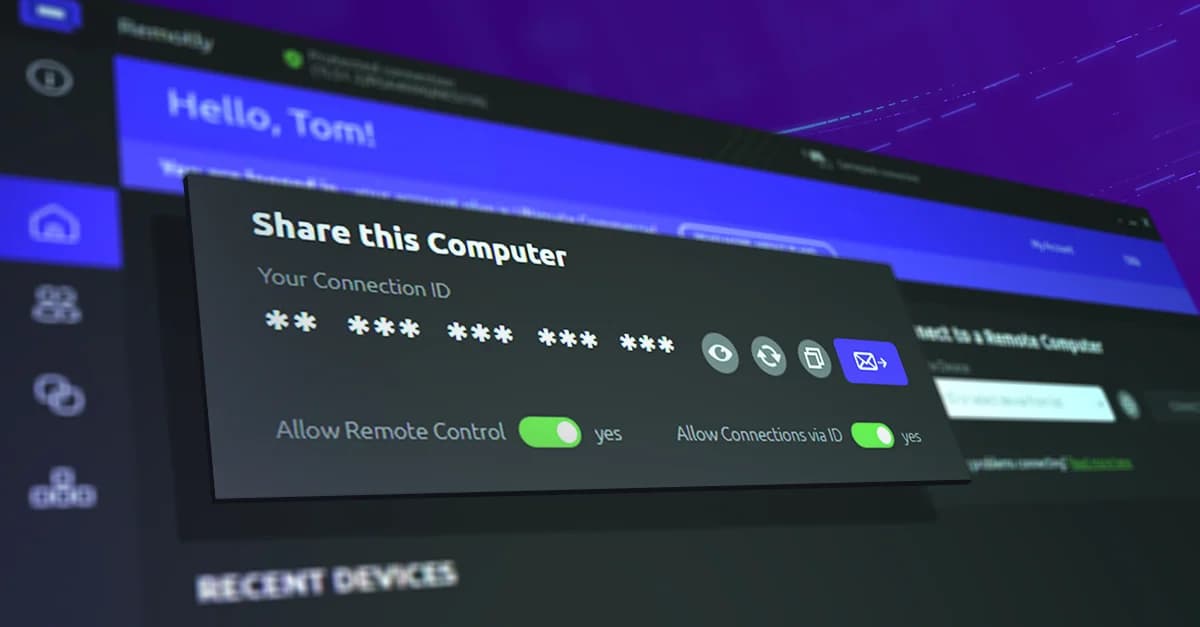
Remotly Desktop App

High‑performance remote desktop for PC and Mac

High‑performance remote desktop app designed for PC and Mac. Connect to any remote computer at any time, under any conditions — ensuring maximum speed, minimal latency and enterprise‑grade cybersecurity.

Available for
Host: Windows 7 / 8.1 / 10 / 11
Client: Windows · macOS 14.6+
Latency
Sub-frame
Frame rate
up to 240 FPS
Resolution
up to 6K HDR 4:4:4
Codecs
H.264 · HEVC · AV1

What makes Remotly Desktop App special?

1

Image & Audio Quality

  • Pro Video Streaming: 4K over the cloud and P2P, with 5K and 6K support, HDR, 10-bit color and full 4:4:4 chroma for crisp text and faithful colors in office, graphics and CAD work.

  • Up to 240 FPS, Near‑Zero Latency: Smooth motion at up to 240 fps with zero or minimal streaming latency — built on Mirillis' Action! capture technology.

  • Hardware Codecs: Hardware H.264/AVC, HEVC (H.265) and AV1 encoding on the host and hardware decoding on the client, for low CPU and power usage.

  • Multi-Monitor: Work with up to 3 remote monitors with seamless switching, and change the remote computer's resolution straight from the client.

  • Virtual Display Adapter: Create virtual monitors on the remote computer — for example an extra desktop visible only inside the remote session.

  • Two‑Way Audio: Virtual Audio Driver captures remote sound; listen, adjust volume and microphone levels, and toggle the microphone mid‑session.

2

Connectivity

  • Three Ways to Connect: A unique 14-character connection code, permanent or time‑limited invitations, or your account and organization device list with online/offline status and filtering.

  • Direct P2P: Unlimited transfer and bitrate up to 100 Mbps over direct connections, with automatic UPnP port mapping or a manually chosen port.

  • Connect Anywhere Cloud: Relayed connections when a direct link is impossible, with file transfer up to 10 MB/s.

  • Connection Server Selection: Choose a preferred relay server — Remotly measures ping and server geolocation so you can pick the fastest one.

  • Multi-Connection: Connect to up to 8 remote computers at once, each in a separate window, or let up to 4 people join a single computer for joint service or training sessions.

  • Quality Control & Auto‑Reconnect: Adjust resolution, frame rate and bitrate per network type, watch the weak‑signal indicator, and let sessions reconnect automatically after a dropout.

3

Cybersecurity

  • End‑to‑End Encryption: AES-256 for data streams, TLS 1.2 and TLS 1.3 transport with a Force TLS option, and RSA-4096 key exchange and authorization.

  • Device Authorization: The remote computer confirms every access request; unauthorized attempts are rejected.

  • IP Scoring & VPN Warning: Incoming requests are risk‑scored, and you are warned when the connecting party is hidden behind a VPN.

  • View‑Only or Full Control: The computer's owner or organization policy decides whether a session is view‑only or allows full remote control.

  • Connection Code Protection: Guessing attempts are blocked, the code can be hidden on screen, and code‑based connections can be disabled entirely.

  • Clipboard Control: Share the clipboard between computers or block it to control the flow of data.

4

Remote Work & Support Tools

  • Encrypted File Transfer: Fast, encrypted file transfer — up to 10 MB/s through the cloud, limited only by your link over P2P.

  • Voice Chat: Talk during the session with independent microphone and volume control, and mute the remote computer when needed.

  • Privacy Mode: Blank the remote screen and lock its mouse and keyboard so bystanders cannot see the desktop or interrupt your work.

  • Remote Camera & Recording: Preview the remote device's camera in unattended mode and record selected sessions on demand.

  • Power & Availability: Wake‑on‑LAN, forced wake‑up, remote restart, connection at the Windows sign‑in screen, and remote sleep, hibernate or lock when you are done.

  • Starts with Windows: The host launches with the system, so the computer is reachable right after boot — no user login required.

5

Native macOS Client

  • Metal / EDR Rendering: Native SwiftUI app with full HDR on Retina and XDR displays and VideoToolbox hardware decoding, including 10-bit and 4:4:4.

  • Wi‑Fi Optimizations: AWDL, AirDrop and Handoff are suspended for the duration of a session, eliminating image micro‑stutter.

  • Menu Bar & Full Screen: Control sessions from the macOS menu bar with automatic full‑screen mode and credentials stored in the Keychain.

  • Always Up to Date: Silent, digitally signed automatic updates, compatibility modes for weak links and automatic reconnection.

“We are squeezing the maximum out of all available encryption methods to make Remotly unbreakable.”
Paweł Hładkiewicz

Paweł Hładkiewicz

CEO at Mirillis

See the latency for yourself

We fight for every millisecond across every device stack. Our lab simulates real‑world conditions to optimize our protocol and deliver the lowest possible latency for your remote sessions.

Paulina Tarasińska, Global Business Development Manager, Remotly

Frequently asked questions

Which platforms does Remotly Desktop run on?

The host runs on Windows 7, 8.1, 10 and 11 and includes the Windows client. A native client is available for macOS 14.6 or later, and the Remotly Mobile App covers iOS and Android 5.0 or later.

How do I connect to a remote computer?

Use the unique 14-character connection code, a permanent or time‑limited invitation, or pick the device from your account or organization device list for unattended access.

Can I connect to a machine with no user logged in?

Yes. The host starts with Windows, so you can connect at the sign‑in screen, restart the machine remotely and keep access after the reboot.

How many remote PCs can I control at once?

You can connect to up to 8 remote computers at the same time, each in its own window, and up to 4 people can join a single computer.

Does the macOS client support HDR?

Yes. The macOS client renders through Metal/EDR with VideoToolbox hardware decoding, delivering full HDR with 10-bit color and 4:4:4 on Retina and XDR displays at up to 120 fps.

Which languages is the interface available in?

Polish, English, Spanish, French, Turkish, Brazilian Portuguese, Simplified Chinese, Russian and Hungarian.

Ready to experience an ultra‑fast and ultra‑secure remote desktop?

This website uses cookies to improve your experience while you navigate through the website. Out of these, those that are categorized as necessary are stored on your browser and are used to run basic functionalities of the website.

We also use third‑party cookies that help us analyze and understand how you use this website. They will only be stored in your browser with your consent and you have the opportunity to opt out of them. However, opting out may affect your browsing experience.

NecessaryAlways active

Necessary cookies are absolutely necessary for the website to function properly. These cookies ensure basic functionalities and security features of the website on an anonymous basis.

CookieRetention periodDescription
cookie_consent1 yearStores whether or not the user has consented to the use of cookies. It does not store any personal data.
NEXT_LOCALE1 yearStores language setting selected by user.
themeuntil clearedStores the light or dark theme selected by user (browser storage).
hCaptchasessionSet by the hCaptcha service on the contact and order forms to identify bots and protect the website against spam.
device_token6 monthsCookie used for user/device verification.
session_idsession / 1 monthCookie used to keep user session alive.
logged_insession / 1 monthCookie used to keep user session alive.